Invite User
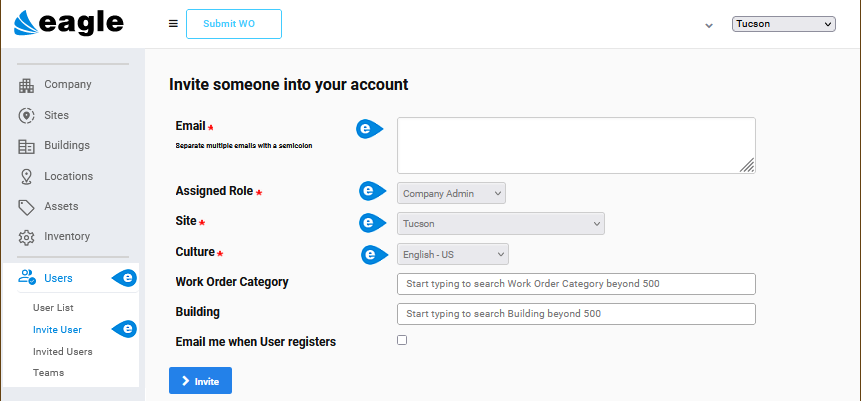
Path: Users > Invite User
The Invite User window is used to add users of different roles to your version of Eagle CMMS. See User Roles for information about the roles.
The window is opened from Users > Invite User on the menu or using the Invite User button on the User List and Invited Users windows.
 Invite Users from Invite User Window
From Users > Invite User on the menu or using the Invite User button on the User List and Invited Users windows:
-
Complete the required fields: Email, Assigned Role, Site, and Culture fields.
-
Include other optional fields as needed.
-
Select the Invite button.
Multiple users with the same Role can be invited at one time. Separate the email addresses with a semi-colon. Selections for Work Order Category and Building allow you to limit the type and location of work performed.
NOTE: Users must have a valid email address to be invited.